
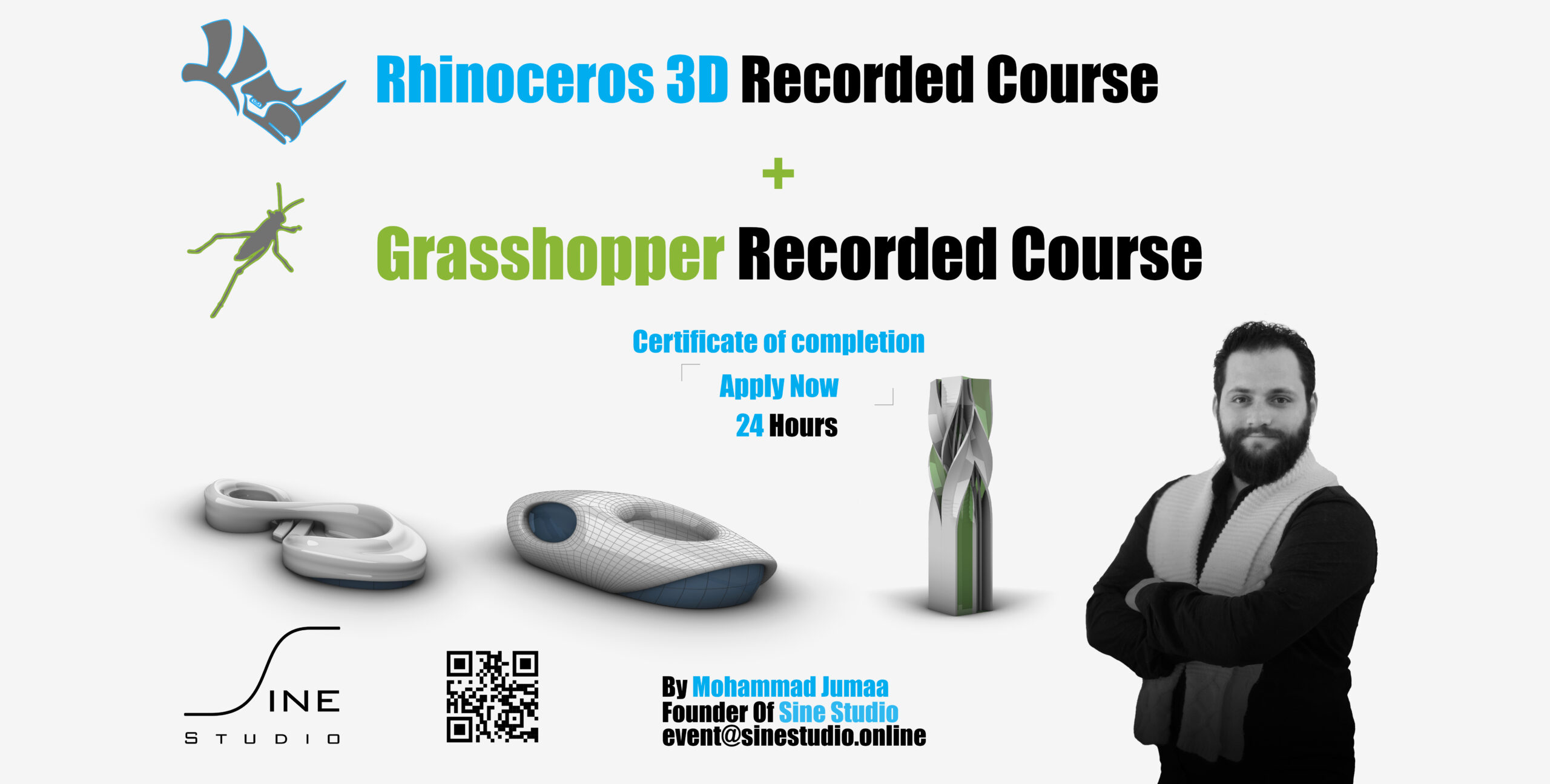
Special Offer [ Rhino + Grasshopper + Let's Play Grasshopper Together , eBook ] Recorded Courses

- Description
- Curriculum
- FAQ
- Notice
- Reviews
Note : Sign Up to enroll in the course
Mastering 3D Modeling:
. Unlock Your Creativity with Our Rhino Course
. Where Architects can blend creativity with logic
Introduction:
Are you ready to take your 3D modeling skills to the next level? Our comprehensive Rhino course is designed to empower you with the knowledge and techniques needed to unleash your creativity and bring your design ideas to life. Whether you’re a beginner or an experienced user, our expert instructors will guide you through the fundamentals and advanced features of Rhino, helping you master this powerful 3D modeling software.
1. Comprehensive Curriculum: From basic to advanced concepts, our course covers everything you need to know to become proficient in Rhino. You’ll learn how to navigate the Rhino interface, create complex 3D models, apply materials and textures, and render stunning visualizations.
2. Hands-On Learning: Get ready to roll up your sleeves and dive into hands-on exercises and projects. Our course is designed to be interactive and engaging, allowing you to apply what you’ve learned in real-world scenarios and build a portfolio of impressive 3D models.
3. Flexible Learning Options: Whether you prefer in-person classes or online sessions, we offer flexible learning options to suit your schedule and preferences. Join live sessions with our instructors
4. Career Advancement Opportunities: Mastering Rhino opens up a world of career opportunities in industries such as architecture, engineering, product design, and more. Our course will equip you with the skills and confidence needed to pursue exciting career paths and stand out in the competitive job market.
You will learn:
– All 2D and 3D Tools
– Rhino 3D Model techniques
– Prepare model for 3D printing
– SubD Tools
– Create 3D models Like [Skyscrapers, Complex Mass, Curvature mass, Furniture]
– You will be able to do all Exercises in Sine Studio Channel
– Design according to Parametric Design principles
– Import and Export to Revit and 3D Max
How Does Rhino Work ?
Benefit:
– You will get a Certificate of Completion
– Most Famous Architecture firms are using Rhino [Zaha Hadid, BIG, UNStudio, etc.] which means will have a big chance to be architect there
Language :
English
You will be able to complete the following exercises, in addition to all the exercises we have done at Sine Studio :


Rhino Tutorial – By – Mohammad Jumaa – Sine Studio
______________________________________________
Mastering 3D Modeling:
Unlock Your Creativity with Our Grasshopper Course .
Where Architects can blend creativity with logic
Introduction:
Ready to elevate your 3D modeling skills to new heights? Our comprehensive Grasshopper course is tailored to equip you with the knowledge and techniques necessary to unleash your creativity and realize your design visions. Whether you’re a novice or an advanced user, our seasoned instructors will lead you through the fundamentals and intricacies of Grasshopper, empowering you to harness the full potential of this dynamic parametric design tool.
1. Extensive Curriculum: Covering foundational to advanced concepts, our course encompasses all facets of Grasshopper. You’ll delve into navigating the Grasshopper interface, creating intricate parametric models, implementing advanced algorithms, and generating captivating visualizations.
2. Interactive Learning: Prepare for immersive hands-on exercises and projects that bridge theory with practical application. Our course fosters interactive engagement, enabling you to apply newfound knowledge in real-world scenarios and craft a diverse portfolio of compelling parametric designs..
3. Tailored Learning Options: Whether you prefer live instruction in a classroom setting or the flexibility of online sessions, our course accommodates your learning preferences and schedule constraints. Engage with instructors through live sessions or access recorded lectures at your convenience.
4. Professional Growth Pathways: Mastering Grasshopper unlocks boundless career prospects across diverse industries, including architecture, engineering, computational design, and beyond. Our course equips you with the skills and confidence to pursue rewarding career opportunities and excel in the competitive professional landscape.
You will learn:
– All 2D and 3D Tools
– Parametric design techniques
– Attractor Point and Curve
– Prepare model for 3D printing and digital fabrication
– Create 3D models Like [Skyscrapers, Complex Mass, Curvature mass, Furniture]
– You will be able to do all Exercises in Sine Studio Channel
– Design according to Parametric Design principles
– GH Filles for all Lessons
How Does Grasshopper Work ?
Benefit:
– You will get a Certificate of Completion – Most Famous Architecture firms are using Grasshopper [Zaha Hadid, BIG, UNStudio, etc.] which means will have a big chance to be architect there
Language :
English
You will be able to complete the following exercises, in addition to all the exercises we have done at Sine Studio :


Grasshopper Tutorial – By – Mohammad Jumaa – Sine Studio
______________________________________________
Let’s Play Grasshopper Together , eBook
Author | Mohammad Jumaa
Year | 2025
Language | English
PDF Size | 650 MB
Total Pages | 500 Pages
Dimension | A4
Edition | First Edition
Parametric Design with Grasshopper” introduces readers to computational design in architecture through step-by-step explanations, practical workflows, and over 200 exercises. Covering core components, real projects, and essential plugins, the book takes you from beginner to advanced, helping you think and design parametrically.
Inside the book you’ll find:
✅ Learn Parametric Thinking and the Parametric tool
✅ Step-by-step explanations of essential Grasshopper components.
✅ Over 200 exercises — from beginner to advanced.
✅ Practical workflows for façades, structures, and real projects.
✅ 200 Grasshopper exercise videos, each with a duration of 7 minutes, are available free of charge
✅ Insights on plugins like LaunchBox, Kangaroo, Pufferfish, and Flexibility.
✅ A complete parametric design approach, moving from basic elements to real-world applications.
This eBook is designed for:
🔹 Students eager to learn parametric design.
🔹 Architects who want to bring computation into practice.
🔹 Designers exploring innovation through algorithms and digital fabrication.
Take your first step from Zero to Parametric Thinking.


______________________________________________
Grasshopper Tutorial In 7 Minutes
Mastering 3D Modeling:
Unlock Your Creativity with Our Grasshopper Tutorial .
Where Architects can blend creativity with logic
200 Videos In 7 Minutes Duration


______________________________________________
Tutor since 2018
Instructor:
Mohammad Jumaa [Founder of Sine Studio] was born in Damascus, Syria in 1996. He graduated from the Architecture Faculty of the International University for Science and Technology. He then pursued further education to enhance his architectural expertise and understanding. He enrolled in a Master’s program in architecture at Beirut Arab University, where he delved deeper into advanced architectural concepts and RIBA principles [SDG 17 Goals of Sustainable Development].
During his studies, Mohammad Jumaa developed a keen interest in sustainability and its integration into architectural design. He recognized the significance of sustainable practices in addressing modern-day environmental challenges. This interest led him to explore sustainable design strategies, energy-efficient solutions, and environmentally conscious construction methods. His academic pursuits included research into incorporating renewable energy sources, optimizing building orientations for passive heating and cooling, and utilizing eco-friendly materials.
He has worked as an architect at Reparametrize Studio for over 3 years. His role at the studio has allowed him to merge his architectural skills with his passion for sustainability, parametric design, and computational design. He actively contributes to projects that prioritize sustainable design principles, aiming to create structures that minimize their ecological footprint while providing functional and aesthetically pleasing spaces.
-
1
 Rhino Course - A Powerful Parametric Design Tool - Take The Course With Sine Studio
 -
2
Rhino Course - Introduction - Learn Parametric Design Tool - English Language
-
3
Rhino Course - SE 1 - Learn Parametric Design Tool - English Language
The main commands of the first session
.
▪️Osnap
▪️Properties
▪️Point
▪️Point Grid
▪️Single Curve
▪️Layers
-
4
Rhino Course - SE 1 - Learn Parametric Design Tool - English Language
The main commands of the first session
.
▪️Osnap
▪️Properties
▪️Point
▪️Point Grid
▪️Single Curve
▪️Layers
-
5
Rhino Course - SE 2 - Learn Parametric Design Tool - English Language
The main commands of the second session
.
▪️Interpolate Point
▪️Sketch
▪️Helix
▪️Tween Between Two Curves
▪️Record History
▪️History Purge
-
6
Rhino Course - SE 2 - Learn Parametric Design Tool - English Language
The main commands of the second session
.
▪️Interpolate Point
▪️Sketch
▪️Helix
▪️Tween Between Two Curves
▪️Record History
▪️History Purge
-
7
Rhino Course - SE 3 - Learn Parametric Design Tool - English Language
The main commands of the third session
.
▪️Fillet
▪️Chamfer
▪️Adjustable Curve Blend
▪️Rebuild Curve
▪️Sub Curve
▪️Curve Boolean
-
8
Rhino Course - SE 3 - Learn Parametric Design Tool - English Language
The main commands of the third session
.
▪️Fillet
▪️Chamfer
▪️Adjustable Curve Blend
▪️Rebuild Curve
▪️Sub Curve
▪️Curve Boolean
-
9
Rhino Course - SE 4 - Learn Parametric Design Tool - English Language
The main commands of the fourth session
.
▪️Planar Curve
▪️Surface From Network Of Curves
▪️Loft
▪️Surface From 2,3,Or 4 Edge Curves
▪️Patch
▪️Add A Picture Plane
-
10
Rhino Course - SE 4 - Learn Parametric Design Tool - English Language
The main commands of the fourth session
.
▪️Planar Curve
▪️Surface From Network Of Curves
▪️Loft
▪️Surface From 2,3,Or 4 Edge Curves
▪️Patch
▪️Add A Picture Plane
-
11
Rhino Course - SE 5 - Learn Parametric Design Tool - English Language
The main commands of the fifth session
.
▪️Extrude
▪️Ribbon
▪️Sweep 1 Rail
▪️Sweep 2 Rails
▪️Revolve
▪️Heightfiled From Image
-
12
Rhino Course - SE 5 - Learn Parametric Design Tool - English Language
The main commands of the fifth session
.
▪️Extrude
▪️Ribbon
▪️Sweep 1 Rail
▪️Sweep 2 Rails
▪️Revolve
▪️Heightfiled From Image
-
13
Rhino Course - SE 6 - Learn Parametric Design Tool - English Language
The main commands of the sixth session
.
▪️Fillet Surface
▪️Blend Surface
▪️Offset Surface
▪️Tween Between Two Surfaces
▪️Rebuild Surface
▪️Smash
-
14
Rhino Course - SE 6 - Learn Parametric Design Tool - English Language
The main commands of the sixth session
.
▪️Fillet Surface
▪️Blend Surface
▪️Offset Surface
▪️Tween Between Two Surfaces
▪️Rebuild Surface
▪️Smash
-
15
Rhino Course - SE 7 - Learn Parametric Design Tool - English Language
The main commands of the seventh session
.
▪️Pipe [Flat , Round , None]
▪️Boolean Union
▪️Boolean Difference
▪️Boolean Intersection
▪️Fillet Edge
▪️Push Or Polysurface
-
16
Rhino Course - SE 7 - Learn Parametric Design Tool - English Language
The main commands of the seventh session
.
▪️Pipe [Flat , Round , None]
▪️Boolean Union
▪️Boolean Difference
▪️Boolean Intersection
▪️Fillet Edge
▪️Push Or Polysurface
-
17
Rhino Course - SE 8 - Learn Parametric Design Tool - English Language
The main commands of the eight session
.
▪️Project
▪️Duplicate Edge
▪️Extract Wireframe
▪️Object Intersection
▪️Contour
▪️Make 2D Drawing
-
18
Rhino Course - SE 8 - Learn Parametric Design Tool - English Language
The main commands of the eight session
.
▪️Project
▪️Duplicate Edge
▪️Extract Wireframe
▪️Object Intersection
▪️Contour
▪️Make 2D Drawing
-
19
Rhino Course - SE 9 - Learn Parametric Design Tool - English Language
The main commands of the ninth session
.
▪️Trim
▪️Text Object
▪️Dimension
▪️Polar Array
▪️Materials
▪️Capture
-
20
Rhino Course - SE 9 - Learn Parametric Design Tool - English Language
The main commands of the ninth session
.
▪️Trim
▪️Text Object
▪️Dimension
▪️Polar Array
▪️Materials
▪️Capture
-
21
Rhino Course - SE 10 - Learn Parametric Design Tool - English Language
The main commands of the tenth session
.
▪️Polar Array
▪️Smash
▪️Flow Along Surface
▪️Twist
▪️Taper
▪️Cage Edit
-
22
Rhino Course - SE 10 - Learn Parametric Design Tool - English Language
The main commands of the tenth session
.
▪️Polar Array
▪️Smash
▪️Flow Along Surface
▪️Twist
▪️Taper
▪️Cage Edit
-
23
Rhino Course - SE 11 - Learn Parametric Design Tool - English Language
The main commands of the eleventh session
.
▪️Single SubD Plane
▪️Drag Mode [Ctrl + Shift]
▪️Sweep 1
▪️Sweep 2
▪️Revolve
▪️SubD Loft
-
24
Rhino Course - SE 11 - Learn Parametric Design Tool - English Language
The main commands of the eleventh session
.
▪️Single SubD Plane
▪️Drag Mode [Ctrl + Shift]
▪️Sweep 1
▪️Sweep 2
▪️Revolve
▪️SubD Loft
-
25
Rhino Course - SE 12 - Learn Parametric Design Tool - English Language
The main commands of the twelveth session
.
▪️SubD Multipipe
▪️Add Hard Crease
▪️Bridge
▪️Offset SubD
▪️Bevel
▪️Reflect
-
26
Rhino Course - SE 12 - Learn Parametric Design Tool - English Language
The main commands of the twelveth session
.
▪️SubD Multipipe
▪️Add Hard Crease
▪️Bridge
▪️Offset SubD
▪️Bevel
▪️Reflect
-
27
Grasshopper Course - The Best Parametric Design Tool - Take The Course With Sine Studio
Grasshopper Course - The Best Parametric Design Tool - Take The Course With Sine Studio
-
28
Grasshopper Course - Introduction - Learn Parametric Design Tool - English Language
-
29
Grasshopper Course - SE 1 - Learn Parametric Design Tool - English Language
The main commands of the first session
.
▪️Point
▪️Bake
▪️Set Point
▪️Line
▪️Construct Point
▪️Divide Curve
-
30
Grasshopper Course - SE 1 - Learn Parametric Design Tool - English Language
The main commands of the first session
.
▪️Point
▪️Bake
▪️Set Point
▪️Line
▪️Construct Point
▪️Divide Curve
-
31
Grasshopper Course - SE 2 - Learn Parametric Design Tool - English Language
The main commands of the second session
.
▪️Line SDL
▪️Unit [X,Y,Z]
▪️Extrude
▪️Loft
▪️[List Item , Split List , Cull Index]
▪️Area
-
32
Grasshopper Course - SE 2 - Learn Parametric Design Tool - English Language
The main commands of the second session
.
▪️Line SDL
▪️Unit [X,Y,Z]
▪️Extrude
▪️Loft
▪️[List Item , Split List , Cull Index]
▪️Area
-
33
Grasshopper Course - SE 3 - Learn Parametric Design Tool - English Language
The main commands of the third session
.
▪️Scale
▪️Scale NU
▪️Rotate 2D
▪️Random
▪️List length
▪️Construct Domain
-
34
Grasshopper Course - SE 3 - Learn Parametric Design Tool - English Language
The main commands of the third session
.
▪️Scale
▪️Scale NU
▪️Rotate 2D
▪️Random
▪️List length
▪️Construct Domain
-
35
Grasshopper Course - SE 4 - Learn Parametric Design Tool - English Language
The main commands of the fourth session
.
▪️Grid
▪️Attractor Point
▪️[Bound , Remap Domain Number]
▪️Evaluate Surface
▪️Reparametrize
▪️Ruled Surface
-
36
Grasshopper Course - SE 4 - Learn Parametric Design Tool - English Language
The main commands of the fourth session
.
▪️Grid
▪️Attractor Point
▪️[Bound , Remap Domain Number]
▪️Evaluate Surface
▪️Reparametrize
▪️Ruled Surface
-
37
Grasshopper Course - SE 5 - Learn Parametric Design Tool - English Language
The main commands of the fifth session
.
▪️Voronoi 3D
▪️Attractor Point
▪️Point On Curve
▪️Interpolate
▪️Graph Mapper
▪️Loft Option
-
38
Grasshopper Course - SE 5 - Learn Parametric Design Tool - English Language
The main commands of the fifth session
.
▪️Voronoi 3D
▪️Attractor Point
▪️Point On Curve
▪️Interpolate
▪️Graph Mapper
▪️Loft Option
-
39
Grasshopper Course - SE 6 - Learn Parametric Design Tool - English Language
The main commands of the sixth session
.
▪️Graph Mapper
▪️Tween Curve
▪️Repeat Data
▪️Rotate 3D
▪️Scale NU
▪️[Offset Brep , Offset Surface , Offset Mesh]
-
40
Grasshopper Course - SE 6 - Learn Parametric Design Tool - English Language
The main commands of the sixth session
.
▪️Graph Mapper
▪️Tween Curve
▪️Repeat Data
▪️Rotate 3D
▪️Scale NU
▪️[Offset Brep , Offset Surface , Offset Mesh]
-
41
Grasshopper Course - SE 7 - Learn Parametric Design Tool - English Language
The main commands of the seventh session
.
▪️Sub Curve
▪️Mirror Surface
▪️Twist
▪️Flip Curve
▪️Flip Surface
▪️Diamond Panels
-
42
Grasshopper Course - SE 7 - Learn Parametric Design Tool - English Language
The main commands of the seventh session
.
▪️Sub Curve
▪️Mirror Surface
▪️Twist
▪️Flip Curve
▪️Flip Surface
▪️Diamond Panels
-
43
Grasshopper Course - SE 8 - Learn Parametric Design Tool - English Language
The main commands of the eight session
.
▪️Mirror Surface
▪️Rotate 2D
▪️Blend Curve
▪️Flip Curve
▪️Offset Surface
▪️Solid Union
-
44
Grasshopper Course - SE 8 - Learn Parametric Design Tool - English Language
The main commands of the eight session
.
▪️Mirror Surface
▪️Rotate 2D
▪️Blend Curve
▪️Flip Curve
▪️Offset Surface
▪️Solid Union
-
45
Grasshopper Course - SE 9 - Learn Parametric Design Tool - English Language
The main commands of the ninth session
.
▪️Curve Closet Point
▪️Dispatch
▪️Smaller Than
▪️Evaluate Surface
▪️Series
▪️Scale NU
-
46
Grasshopper Course - SE 9 - Learn Parametric Design Tool - English Language
The main commands of the ninth session
.
▪️Curve Closet Point
▪️Dispatch
▪️Smaller Than
▪️Evaluate Surface
▪️Series
▪️Scale NU
-
47
Grasshopper Course - SE 10 - Learn Parametric Design Tool - English Language
The main commands of the tenth session
.
▪️Curve | Curve
▪️Graph Mapper
▪️Scale NU
▪️Repeat Data
▪️Solid [Difference , Intersection , Union]
▪️Loft
-
48
Grasshopper Course - SE 10 - Learn Parametric Design Tool - English Language
The main commands of the tenth session
.
▪️Curve | Curve
▪️Graph Mapper
▪️Scale NU
▪️Repeat Data
▪️Solid [Difference , Intersection , Union]
▪️Loft
-
49
Grasshopper Course - SE 11 - Learn Parametric Design Tool - English Language
The main commands of the eleventh session
.
▪️Cross Reference
▪️Surface From Point
▪️Surface Morph
▪️Map To Surface
▪️Horizontal Frames
▪️Amplitude
-
50
Grasshopper Course - SE 11 - Learn Parametric Design Tool - English Language
The main commands of the eleventh session
.
▪️Cross Reference
▪️Surface From Point
▪️Surface Morph
▪️Map To Surface
▪️Horizontal Frames
▪️Amplitude
-
51
Grasshopper Course - SE 12 - Learn Parametric Design Tool - English Language
The main commands of the twelveth session
.
▪️XY Plane
▪️MetaBall
▪️Gene Pool
▪️Random
▪️Delaunay Mesh
▪️Contour
-
52
Grasshopper Course - SE 12 - Learn Parametric Design Tool - English Language
The main commands of the twelfth session
.
▪️XY Plane
▪️MetaBall
▪️Gene Pool
▪️Random
▪️Delaunay Mesh
▪️Contour
-
53
 Let's Play Grasshopper Together , eBook
Let's Play Grasshopper Together , eBook
Author | Mohammad Jumaa
Year | 2025
Language | English
PDF Size | 650 MB
Total Pages | 500 Pages
Dimension | A4
Edition | First EditionParametric Design with Grasshopper” introduces readers to computational design in architecture through step-by-step explanations, practical workflows, and over 200 exercises. Covering core components, real projects, and essential plugins, the book takes you from beginner to advanced, helping you think and design parametrically.
Inside the book you’ll find:
✅ Learn Parametric Thinking and the Parametric tool
✅ Step-by-step explanations of essential Grasshopper components.
✅ Over 200 exercises — from beginner to advanced.
✅ Practical workflows for façades, structures, and real projects.
✅ 200 Grasshopper exercise videos, each with a duration of 7 minutes, are available free of charge
✅ Insights on plugins like LaunchBox, Kangaroo, Pufferfish, and Flexibility.
✅ A complete parametric design approach, moving from basic elements to real-world applications.This eBook is designed for:
🔹 Students eager to learn parametric design.
🔹 Architects who want to bring computation into practice.
🔹 Designers exploring innovation through algorithms and digital fabrication.Take your first step from Zero to Parametric Thinking.
-
54
Grasshopper Tutorial In 7 Minutes
Grasshopper Tutorial In 7 Minutes
___________________________________________________________
Mastering 3D Modeling:Unlock Your Creativity with Our Grasshopper Tutorial .
Where Architects can blend creativity with logic
___________________________________________________________
Hey everyone, welcome to Sine Studio . I’m Mohammad Jumaa Founder of Sine Studio, and today I’m thrilled to introduce the brand-new playlist : Grasshopper tutorial in 7 Minutes.
___________________________________________________________
Dive into a comprehensive collection of more than 200 Grasshopper tutorials, each crafted to deliver a complete concept in just seven minutes. This playlist is designed to help learners of all levels build a solid foundation in parametric and algorithmic design through clear, structured, and practical lessons. Every video focuses on one idea at a time, allowing you to follow along, practise, and integrate the techniques directly into your architectural workflow. Whether you are a beginner discovering Grasshopper or a professional aiming to optimise your design process, these short sessions offer an efficient and accessible path to mastering essential tools, components, and methods. The series emphasises real-world applications, design logic, and problem-solving, supporting you as you develop stronger, faster, and more innovative design skills.You will learn:
- All 2D and 3D Tools
- Parametric design techniques
- Attractor Point and Curve
- Create 3D models Like [Skyscrapers, Complex Mass, Curvature mass, Furniture]
- You will be able to do all Exercises which is in Sine Studio Channel
- Design according to Parametric Design principles____
200 Videos In 7 Minutes Duration
Generate designs algorithmically
Automate design tasks with scripting
Visualize complex data
Interface with digital fabrication tools
Perform environmental analysis
Support educational purposes


 Google